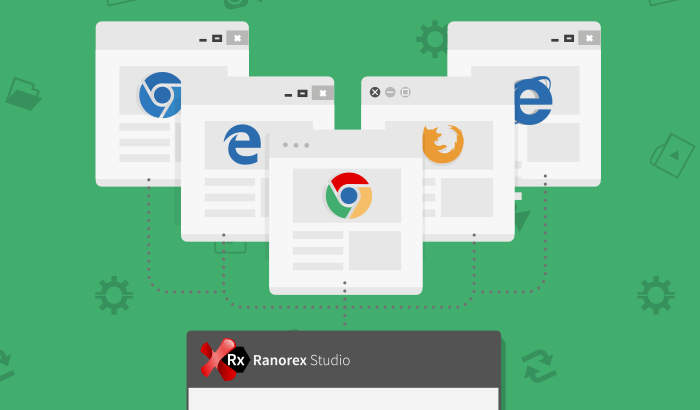
If you’re testing a web application, you naturally want to ensure that it works well with not just a single browser, but with all of the most popular browsers. This requires cross-browser testing.
This blog post will show you how to record your automated website browser tests; then automatically execute the recorded tests for compatibility on multiple browsers using the Ranorex Studio web automation engine.
In addition to executing web tests on Windows platforms using the Ranorex Studio web automation, you can also use the Selenium integration in Ranorex Studio to expand cross-browser testing to additional operating systems such as macOS and Linux.
For more information about how to use the Selenium integration in Ranorex Studio, please refer to:
Please note that when following the approach described below, you can at any point switch to the Selenium WebDriver integration and vice versa.
Sample Test Suite Project
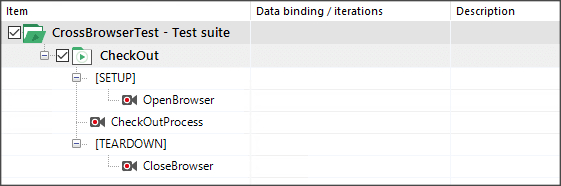
To demonstrate how to perform a cross-browser test, I’ve chosen a small sample which performs a checkout process on an online store. The test case performing the web test has three parts:
- A setup region containing the module OpenBrowser that starts the browser against which the test will be executed
- CheckOutProcess, the actual recording module containing the test actions
- A teardown region containing the module CloseBrowser that closes the browser after the test actions complete.
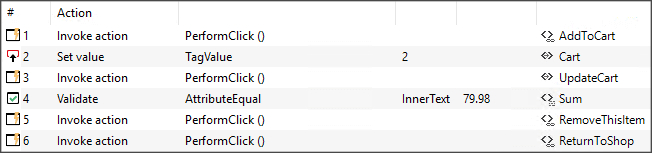
The OpenBrowser module in the setup region contains an Open browser action which opens Internet Explorer and navigates to a sample store site.

Cross-Browser Test
To perform these steps not only for IE but also for the other supported browsers, begin by configuring the browser in the OpenBrowser recording module as a variable.
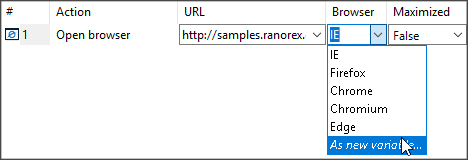
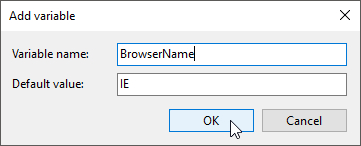
To do this, open the OpenBrowser recording module and click the down arrow in the Browser column. Choose “As new Variable…” and add a new variable called BrowserName.
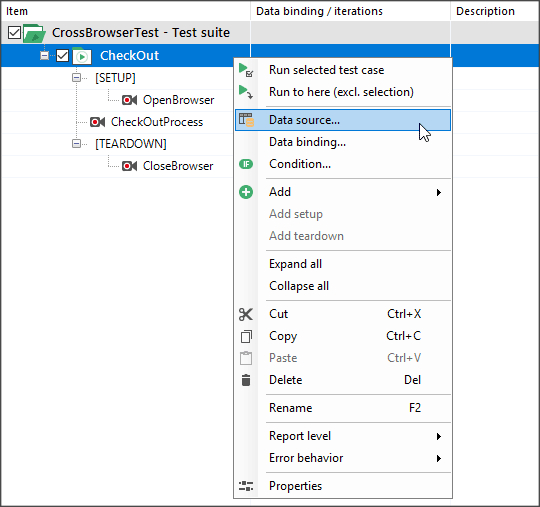
After that, add a new simple data table to your test case. This table will contain the names of the supported browsers and bind the data connector to the variable “BrowserName,” as shown below:
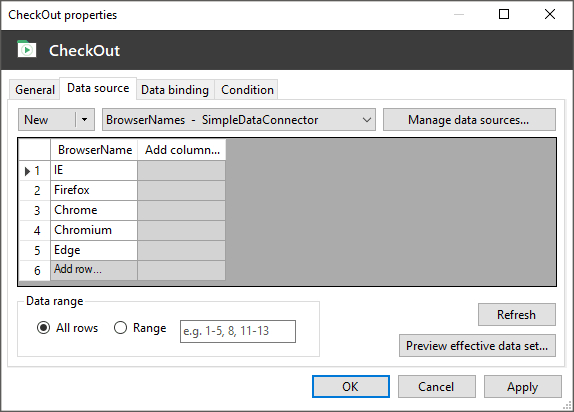
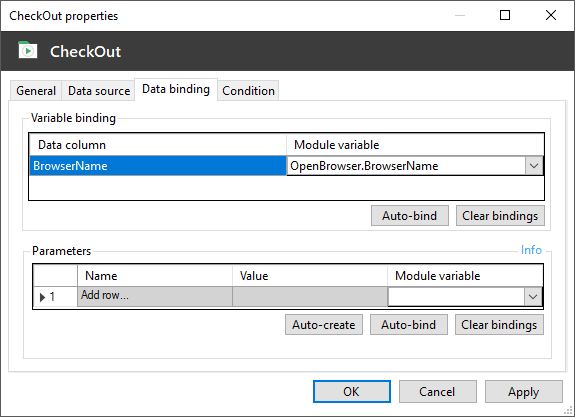
After making the browser a variable and binding this variable to a table containing the names of all supported browsers, you can use your test script for cross-browser testing to speed execution, rather than running your cross-browser.
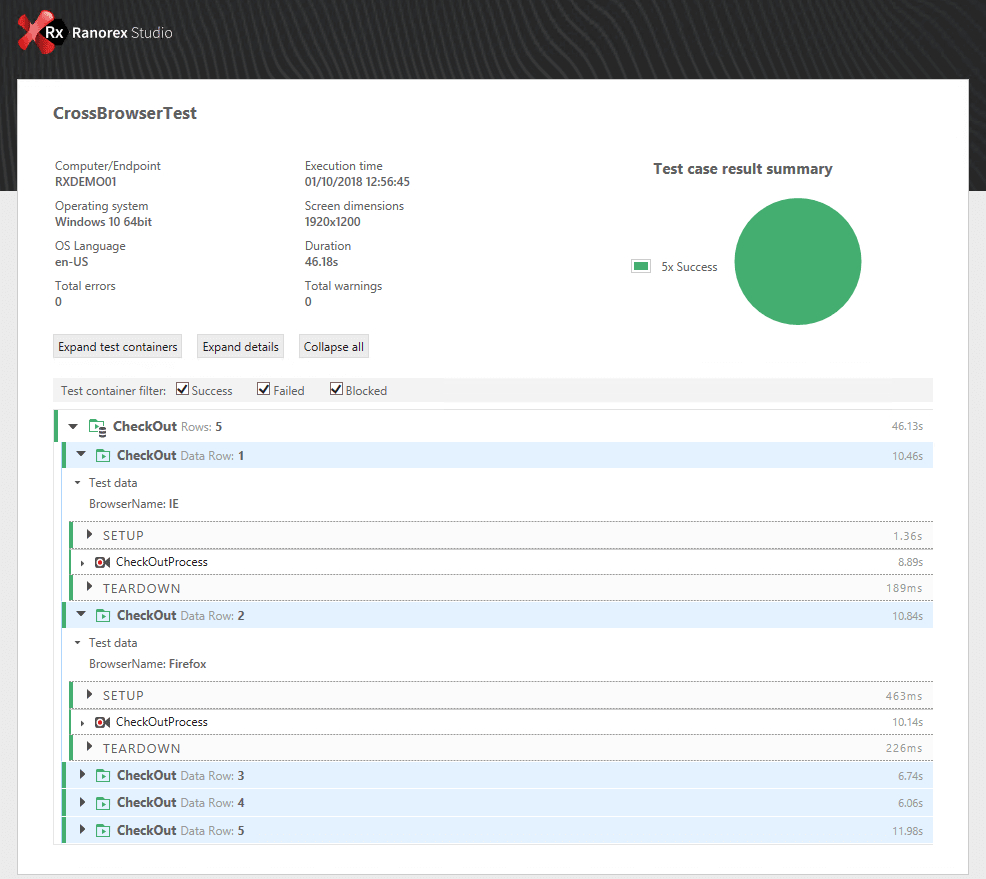
Instead of testing against one browser at a time, you can execute your cross-browser tests in parallel.
There are two ways to set up parallel test execution:
- Use Ranorex Remote to automatically deploy and execute your tests on a remote machine running a Ranorex agent. During remote test execution, the Remote Pad keeps you updated on the test performance, while you can continue using your local machine. Once the test has been executed, you’ll receive a notification that the report is ready. Using the Remote Pad, you can execute multiple tests on multiple remote machines in parallel.
- Use the Ranorex Parallel Runner, a command-line tool that allows you to run a test across multiple capability sets on a Selenium Grid through a WebDriver endpoint in parallel.