When running into complex test scenarios, the test suite might get increasingly incomprehensible and complicated – not to mention the lack of clarity when analyzing reports.
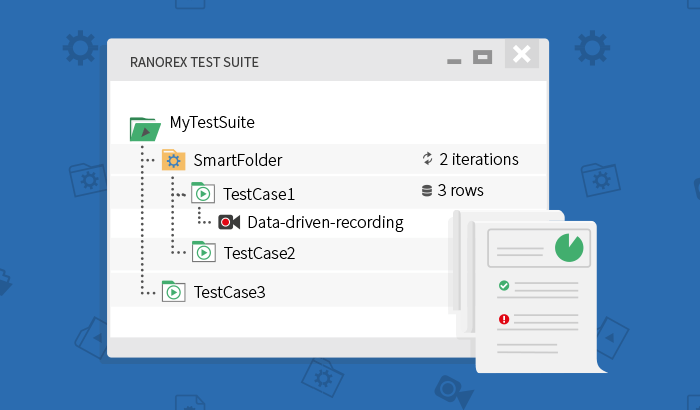
That’s why the test suite structure in Ranorex 7.0 has changed in favor of a flat and, therefore, more readable test suite hierarchy.
Ranorex 7.0 introduces smart folders to Ranorex Studio. They replace the former nested cases as well as the former simple folders. Using smart folders, you can structure your test suite in any possible way: equip them with external data binding or define the number of iterations the underlying test scenario should be executed. This makes the test suite as well as the reporting JUnit compatible, simplifying the integration of enhanced reporting in CI systems.
How to Upgrade Existing Ranorex Solutions
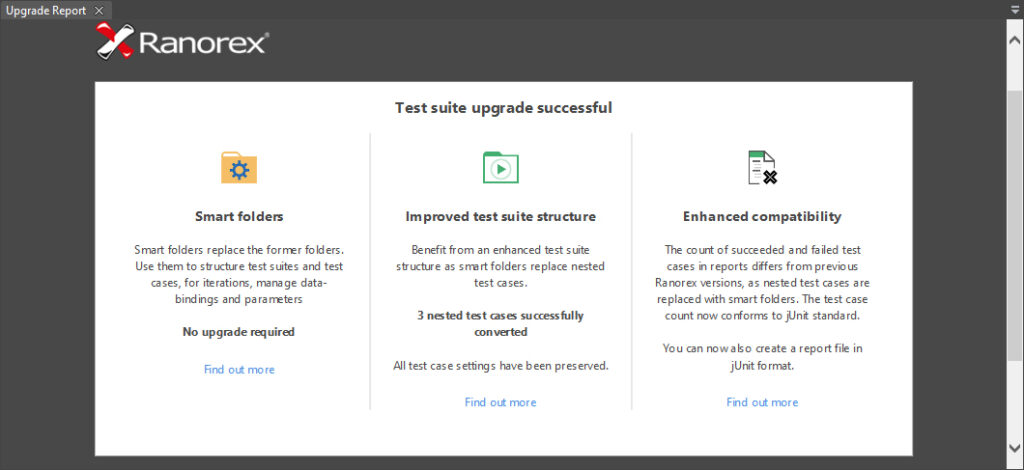
After you install Ranorex 7.0 and open your existing solutions, the test suite will be automatically upgraded. The upgrade process includes the following changes:
- Former simple folders will be replaced with smart folders
- Nested test cases will be automatically re-structured using smart folders
An upgrade report will inform you about the changes made to your solution.
The Evolution of Simple to Smart Folders
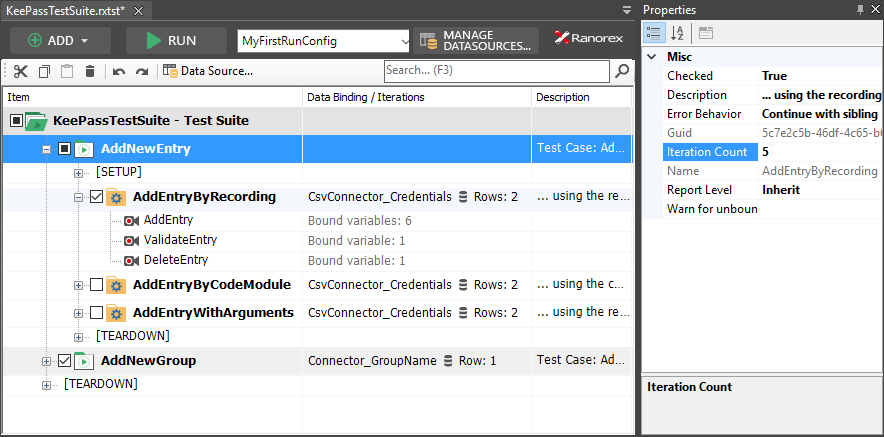
As mentioned before, former simple folders are replaced with the more powerful smart folders. This has two clear benefits: You can define the number of iterations the test scenario within the smart folder should be executed, and also bind external data and parameters to the underlying test cases and modules. Additionally, smart folders – in contrast to the former simple folders – can now be executed in the same way as test cases.
How to Map Any Test Scenario without Nesting Test Cases
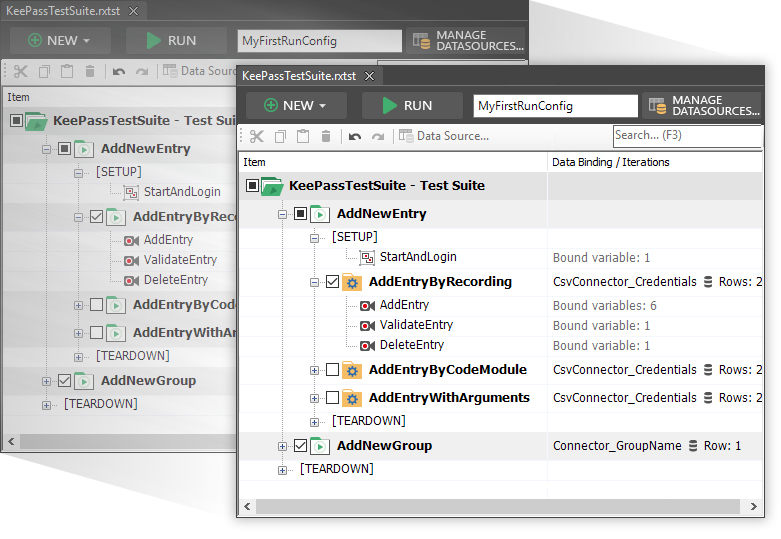
When you upgrade your solution, all nested test cases will be automatically converted to smart folders. A sophisticated mechanism processes the test suite according to the following rules set:
- Every test module is part of a test case (or a setup/teardown region)
- A test case cannot be a descendant of another test case
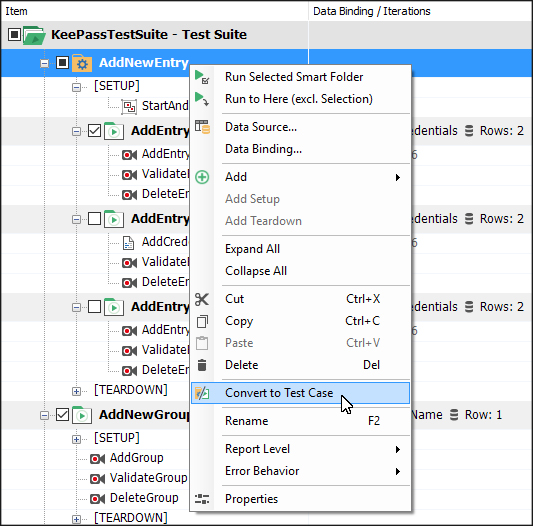
You can convert smart folders to test cases at any time. Simply right-click the smart folder and select Convert to Test Case in the context menu.
The mechanism I previously mentioned ensures that the given rule set is fulfilled.
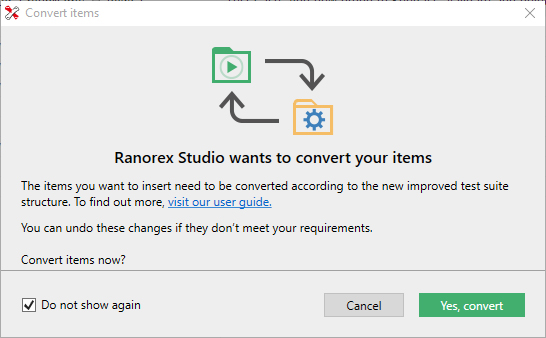
The same applies for copying and moving test cases in the test suite. The following dialog will pop up before test cases are automatically converted to smart folders or vice versa.
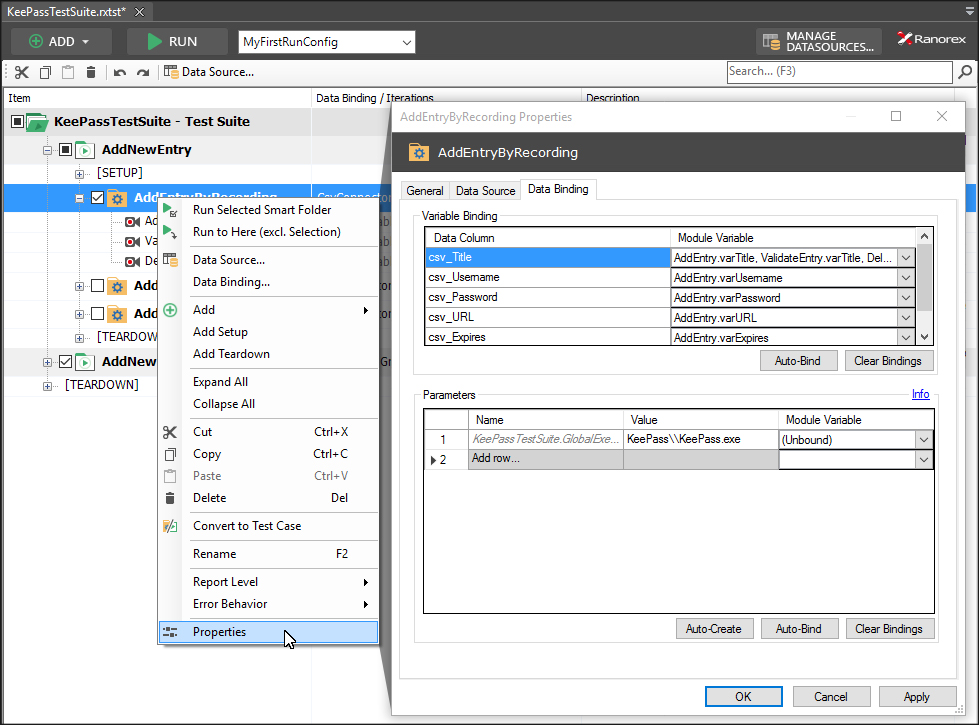
As already known from test cases, smart folders can access internal and external data sets. You can then bind these data sets to variables of the included modules or module groups. To do so, right-click the smart folder and open the properties from the context menu.
With Ranorex 7.0 you can, next do making smart folders and test cases data-driven, also define the number of iterations a smart folder or test case will be executed. To do so, press <F4> to open the properties pad and select the desired smart folder or test case. Now you can simply enter the number of iterations in the dedicated property.
Benefits of the Flat Test Suite Structure
By eliminating nested test cases, the entire test suite structure as well as the structure of the resulting report is leaner and more readable. Additionally, it will also be easier to understand the counting of the executed test cases, while the test case count of the report now also conforms to the JUnit standard.
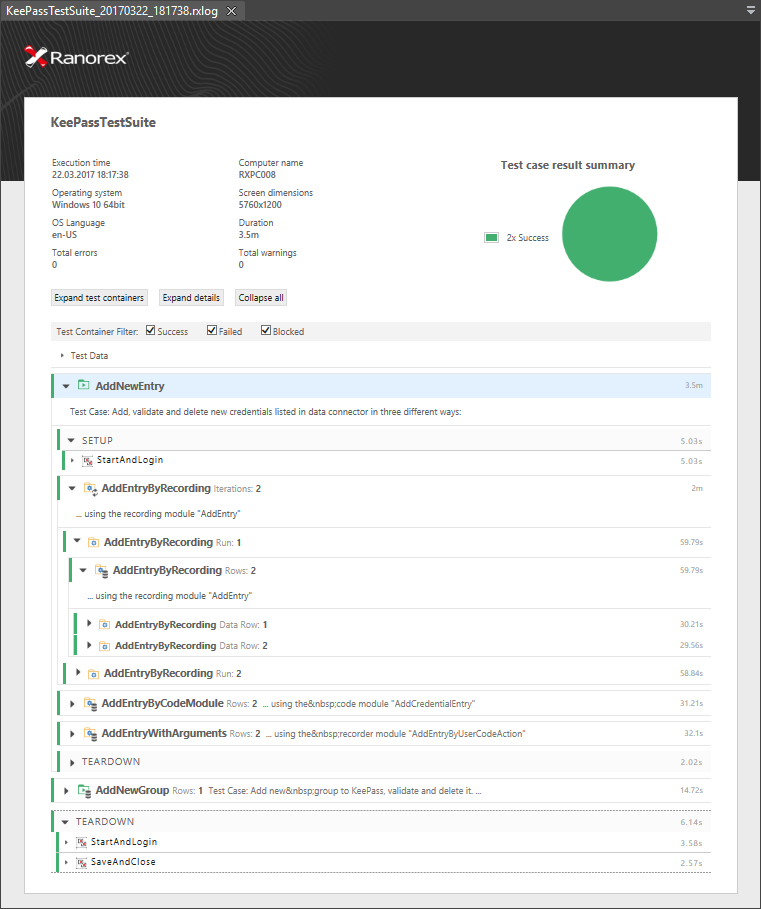
You can also generate a JUnit compatible copy of the report. This allows you to easily integrate your test execution and reporting into many continuous integration systems. To do so, right-click the test suite root folder and open the test suite properties from the context menu. Switch to the Report tab and enable the option Create a JUnit compatible copy of the report.
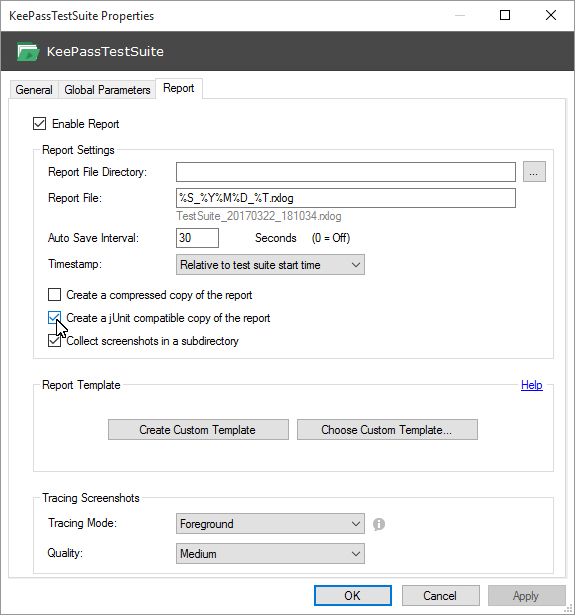
The report will be copied to the Output Folder (by default binDebug) of the test suite project.
As you can see, it is well worth to upgrade to Ranorex 7.0 if you would like to benefit from a flat test suite and report structure that will make your test suite and reports leaner, more readable and easier to integrate in CI systems.