The takeaway in 30 seconds
- Cross-browser testing tools validate that web applications behave, perform, and render consistently across different browsers, browser versions, operating systems, and devices. No single tool is universally best because capabilities vary widely in browser coverage, real device access, scripting language support, and compliance posture.
- The six tools compared in this guide are Ranorex Studio by Sembi, BrowserStack, Puppeteer, Creevey (formerly Colin Creevey), Datadog Synthetics, and Sauce Labs Real Device Cloud.
- Ranorex Studio by Sembi is the strongest choice for Windows teams testing legacy applications, non-standard UIs, or workflows that span web, desktop, and mobile in a single test run.
- BrowserStack leads for regulated industries requiring enterprise security, compliance certification, and broad real device access. Puppeteer is best for technically strong teams scripting exclusively for Chrome and Chromium.
- Choosing the right cross-browser testing tool requires matching the tool’s capabilities to your team’s specific workflows, technology stack, legacy application requirements, and delivery model.
Disclosure
This guide is published by Ranorex by Sembi. Ranorex Studio appears in this comparison as one of the tools reviewed. We have applied the same evaluation framework to every tool in this guide.
What is cross-browser testing?
Cross-browser testing is the practice of verifying that a web application behaves correctly, renders accurately, and performs consistently across different browsers, browser versions, operating systems, and device types. Because different browsers implement web standards differently and users access applications through an increasingly fragmented landscape of environments, an application that works correctly in Chrome on Windows may behave differently in Safari on macOS or in a mobile browser on Android.
Cross-browser testing identifies these inconsistencies before they reach users, reducing the risk of broken layouts, failed interactions, and performance degradation that damage user experience and brand reputation.
6 best cross-browser testing tools compared at a glance
| Tool | Best For | Key Strengths | Supported Browsers | Scripting Languages | Limitations |
|---|---|---|---|---|---|
| Ranorex Studio | Windows teams testing legacy apps and non-standard UIs | Integrated browser selection, RanoreXPath UI inspection, codeless and scripted authoring, hybrid web and desktop and mobile | Chrome, Firefox, Edge, IE 11 (native); Safari via Selenium | C#, VB.NET (native); Java, Node.js, Python, Ruby (via Selenium) | Windows-only; no native macOS or Linux support |
| BrowserStack | Regulated industries needing broad device access and compliance | Visual testing with Percy, SOC 2 Type 2 and GDPR compliance, real device farm, IP allow-listing | Chrome, Firefox, Edge, IE all versions, Safari, Opera, Samsung Internet, mobile browsers | Java, JavaScript, Python, Ruby, C#, Go, Dart, Perl, Scala, others | Session concurrency limits on lower tiers, limited internal network access without add-on |
| Puppeteer | Dev teams scripting for Chrome and Chromium | Chrome DevTools Protocol access, network interception, headless and headful modes | Chrome, Chromium, Edge; limited Firefox support | JavaScript and TypeScript | Local only, no grid or cloud, manual browser version management |
| Creevey | Storybook component teams focused on visual regression | Storybook-driven component diffing, shift-left approval flow, UI runner for review | Chrome, Firefox, Edge via Storybook renderers | JavaScript and TypeScript | Visual regression only, browser coverage limited to Storybook renderers |
| Datadog Synthetics | Multi-location monitoring and zero-trust or internal testing | Global managed locations, private deployable agents, unified observability, SLO and SLA integration | Chrome, Firefox select versions, Edge, IE 11 legacy | JavaScript (browser); Java, Python, Go, Ruby, Node.js, PHP, .NET, Swift, Scala, Kotlin (API) | Higher cost at scale, primarily functional not visual testing |
| Sauce Labs Real Device Cloud | Mobile and browser teams needing real hardware validation | Real device sensors, device reservation, session isolation and wipe, SOC 2 Type 2 compliance | iOS Safari, Android Chrome, Samsung Internet, UC, Opera Mini, WebViews | Appium and Selenium: Java, JS, Python, Ruby, C#, Espresso, XCUITest | Parallel tests capped by device pool, device availability depends on global lab inventory |
1. Ranorex Studio: Best cross-browser testing tool for Windows teams running legacy applications and testing non-standard UIs
Ranorex highlights
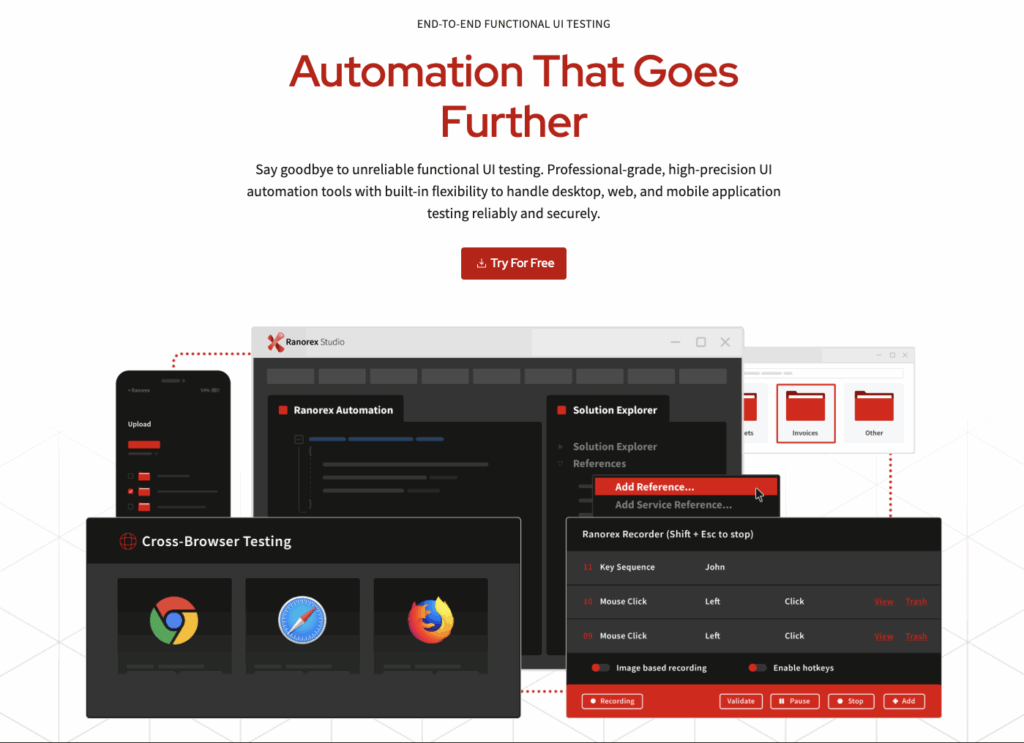
Integrated browser selection: With Ranorex Studio, variables or data binding are used to set the target browser at runtime. This means you can design a single test flow and decide at execution whether it runs in Chrome, Firefox, Edge, or Internet Explorer. This helps you avoid duplicating scripts for each browser, keep maintenance centralized, and confirm that the same scenario behaves consistently across environments.
UI inspection with Ranorex Spy + RanoreXPath: Ranorex Spy inspects the full UI hierarchy, exposing properties for both visible and hidden elements. It can target OS‑level controls, accessibility layers, and complex components beyond the DOM or HTML. These properties feed into RanoreXPath, a locator syntax for GUI automation.
The locator survives structural changes, targets control‑specific attributes, and interacts reliably with dynamic, non‑standard UIs such as medical device interfaces or accessibility‑wrapped finance applications, reducing flakiness in volatile environments.
Codeless and scripted test design: You can build functional tests using the recorder and drag‑and‑drop workflow, then extend them in C# or VB.NET when you need advanced logic or integration. This helps you create reusable modules across projects and cut down on duplicates.
Hybrid automation across platforms: You can automate workflows that span different application types in a single run. For example, you can extract data from a browser‑based CRM and validate it in a native desktop client without breaking the test flow. This hybrid approach works across browsers, Windows desktop apps, and mobile devices through Appium, letting you run realistic regression tests that reflect actual user paths.
Supported browsers
- Native automated testing on:
- Google Chrome
- Mozilla Firefox
- Microsoft Edge (Chromium-based)
- Internet Explorer (including IE 11 for legacy web applications)
- Non-native automated testing:
- Safari, using Ranorex’s Selenium WebDriver integration
Language support
In addition to C# and VB.NET, Ranorex integrates with Selenium WebDriver to enable test authoring in other languages, such as Java, Node.js, Python, and Ruby.
Limitations
Ranorex runs only on Windows. You need a separate setup or workaround if you work in macOS or Linux environments or have a Unix-based stack.
2. BrowserStack: Best cross-browser testing tool for verifying functional, UI, and hardware-specific behavior in regulated industries
BrowserStack highlights
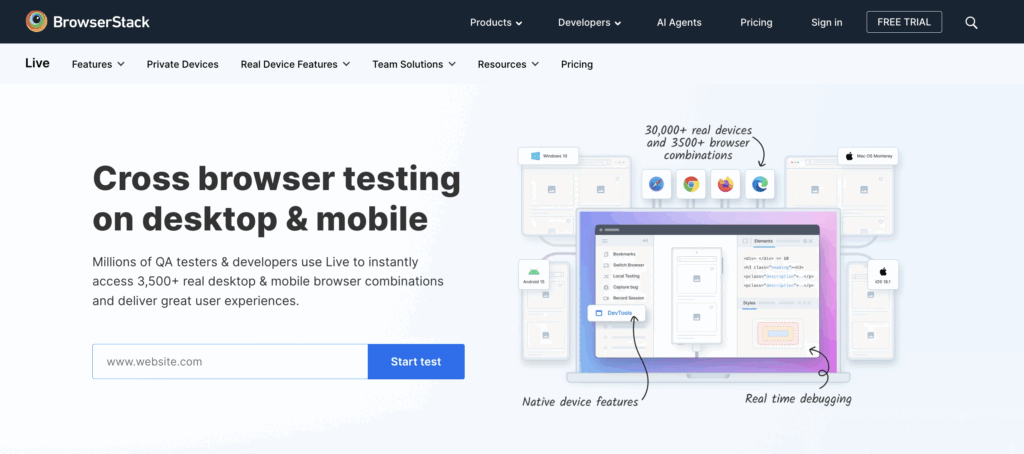
Integrated visual testing with Percy: Percy is the visual review and regression platform in BrowserStack’s execution environment.
Percy intercepts the rendered DOM and associated CSS at defined checkpoints in your test flow, generating full‑page or component‑level screenshots. These snapshots are normalized by stripping dynamic data, freezing animations, and stabilizing asset loading to reduce false positives. The system then performs pixel‑level and perceptual diffing against an approved baseline, highlighting only material UI changes.
You can target specific regions, ignore dynamic elements, and capture layouts across responsive breakpoints and multiple browsers in parallel.
Enterprise security and compliance: BrowserStack operates on infrastructure validated for GDPR and SOC 2 Type 2 compliance.
Dedicated, tenant‑isolated environments ensure that execution nodes, storage, and network traffic remain segregated from shared resources. They also ensure test artifacts are stored within encrypted, access‑controlled repositories, with encryption applied both in transit and at rest.
Your session traffic is routed through secured endpoints, and you can configure IP allow‑listing to limit test execution to approved network ranges. Then your browser and device instances are ephemeral and destroyed upon session termination.
Supported browsers
- Native testing on:
- Google Chrome
- Mozilla Firefox:
- Microsoft Edge: Chromium-based, legacy Edge
- Internet Explorer: IE 11 and earlier
- Safari: All maintained desktop versions (Mac OS hosts)
- Opera, Samsung Internet, UC Browser, and others: Select versions on specific OS/images
- Mobile Browsers: iOS and Android via real device cloud
Language support
You can author tests in Java, JavaScript, Python, Ruby, C#, Go, Dart, Perl, Scala, and more.
Limitations
Session queues and parallel limits: At lower plan tiers, you may encounter queued sessions or concurrency caps, which can slow down large-scale automated runs.
Backend and network constraints: Testing environments may not allow full internal network or VPN integration without the BrowserStack Local add-on, which has some protocol and routing limitations.Scoped customization: You can’t fully script browser or system images, so dirty state or edge-case setup is less flexible than your VMs.
3. Puppeteer: Best cross-browser testing tool for technically strong teams, scripting tests exclusively for Chrome and Chromium-based browsers
Puppeteer highlights
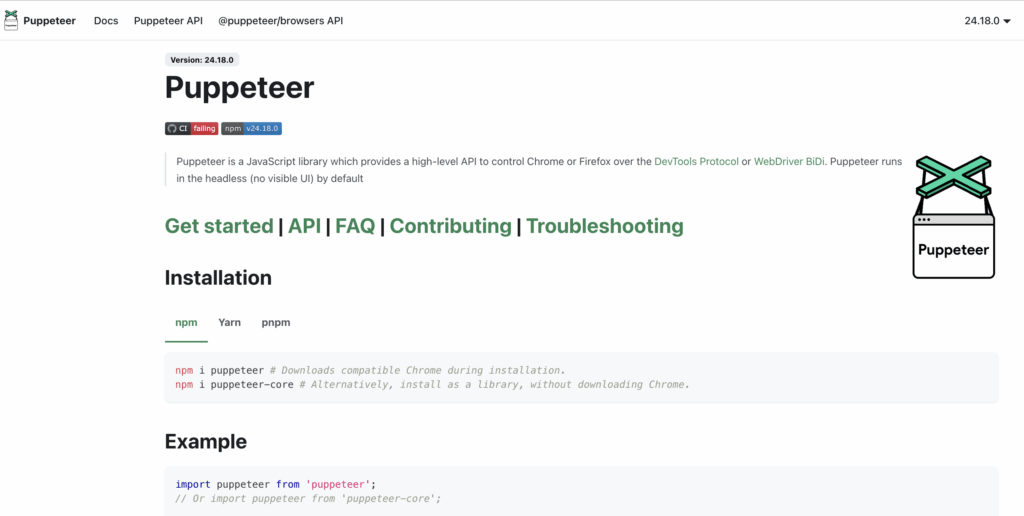
Direct Chrome DevTools Protocol (CDP) control: In Puppeteer, you interact with Chrome and Chromium browsers through CDP, giving you low‑level access to browser internals. This cross-browser testing tool provides deep hooks for DOM manipulation, console output, network requests, and page events. You can instrument loading states, capture console output, or monitor performance metrics in real time, which is helpful for debugging, performance profiling, or simulating error conditions.
Headless and headful test execution: You can launch browsers in headless mode for fast CI automation or open full, headed sessions for interactive debugging and demos. Both modes are scriptable with the same API, and you switch between them based on need, without rewriting test logic.
Network interception and request manipulation: You programmatically intercept, modify, or block network requests and responses at runtime. This allows you to stub APIs, simulate network throttling, inject faults, or test error handling under controlled, repeatable conditions. You validate fallbacks and resilience against real browser behavior scenarios.
Supported browsers
- Native testing on:
- Google Chrome/ Chromium: All versions that match the installed Chrome/Chromium binary.
- Microsoft Edge: Chromium-based
- Non-native testing on:
- Firefox: Limited, unofficial support through a separate package (puppeteer-firefox).
Language support
Puppeteer is a Node.js library, and scripts must be written in JavaScript (or TypeScript with a build step).
Limitations
No built-in test grid or device cloud: You run all tests locally or on your infrastructure, and there’s no instant device or browser farm to scale execution and manage concurrency.
Manual maintenance of browser versions: You are responsible for synchronizing the Puppeteer library and browser versions. Breaking changes in DevTools Protocol or browser updates can require rework of existing test flows.Manual reporting and artifact management: There is no native dashboard for results, screenshots, or video. You must build custom reporting pipelines or integrate with open-source solutions. Artifacts like logs or screenshots are saved manually or piped to external systems.
4. Colin Creevey: Best cross-browser testing tool for Storybook-reliant teams
Colin Creevey highlights
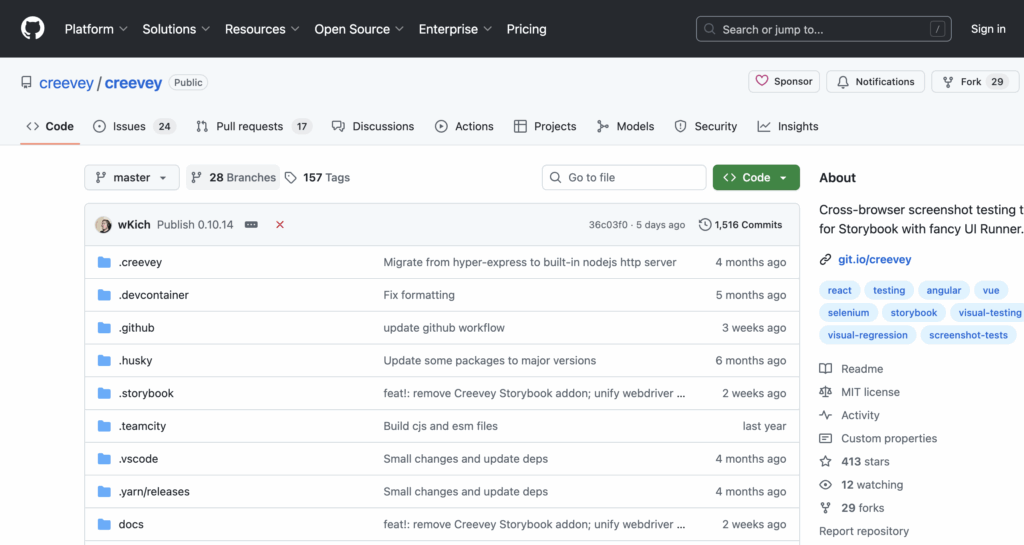
Storybook‑centric visual testing: Colin Creevey integrates directly with your existing Storybook and uses each component story as an automated visual test case. At defined checkpoints in your CI pipeline, it renders components in isolation, captures high‑fidelity snapshots, and performs pixel‑level or perceptual diffing against a previously approved baseline.
By testing at the component level, you detect CSS drift, layout shifts, and unintended style regressions before they propagate into assembled pages. You can also see browser‑specific diffs scoped to the changed component, which can streamline your pull request approvals and reduce the noise common in full‑page visual regression.
Shift‑left visual QA architecture + UI Runner: The UI Runner functions as the review and approval layer and acts as a dedicated diff analysis engine. It ingests the snapshots generated during Storybook‑centric testing and renders them side‑by‑side with the approved baselines. Perceptual and pixel‑level comparison algorithms highlight only the regions that differ, in the exact browser context where the change occurred. This browser‑scoped view makes cross‑engine rendering discrepancies immediately visible. By delivering these results in a structured web interface rather than raw screenshots in artifact folders, the UI Runner closes the feedback loop: designers, front‑end developers, and QA can review, approve, or reject changes directly after each CI build.
Supported browsers
- Native testing on:
- Chrome: Latest and several previous versions
- Firefox: Via automated screenshot capture
- Edge/Chromium
- Multibrowser visual comparison across all Storybook-renderable engines
Language support
You can only author tests in JavaScript/TypeScript.
Limitations
Focus on visual regression only: Colin Creevey specializes in screenshot-based visual comparison. You’ll need a complementary tool to cover functional flows, user interaction, load, and performance testing. Limited browser-engine diversity: Colin Creevey’s cross-browser testing range is bound to your Storybook’s supported renderers and the browsers installed on your host system. Broader coverage needs external infrastructure and supplemental tooling.
5. Datadog Synthetics: Best cross-browser testing tool for multi-location monitoring and testing behind firewalls or in zero-trust environments
Datadog Synthetics highlights
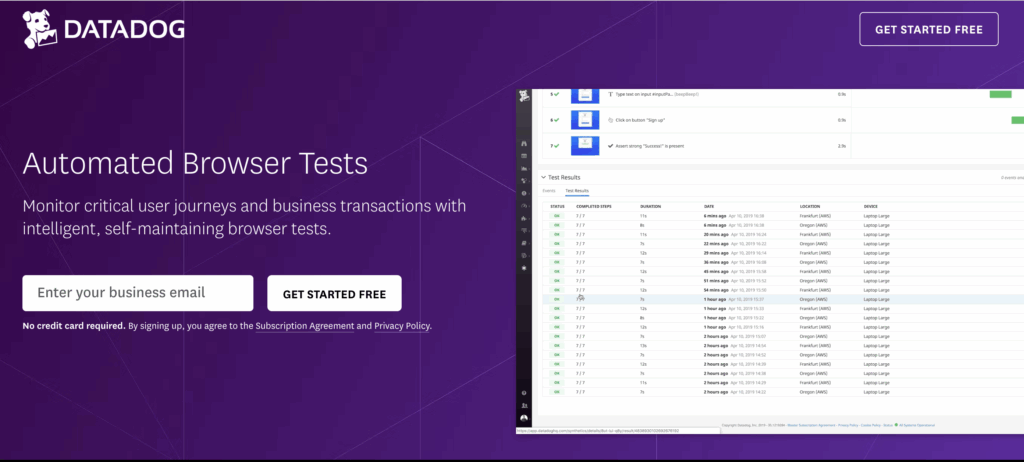
Global managed locations: Datadog Synthetics hosts over 20 public data centers worldwide that simulate real user traffic from various geographic regions. This lets you measure and validate user experience, latency, and end-to-end flows as seen by users anywhere in the world.
Private locations: These are containerized agents you can deploy within your network, datacenter, or secure cloud (via Docker container, Kubernetes pod, or Windows service). These are ideal for testing internal-facing, pre-production, behind-the-firewall, or VPN-restricted applications that cannot be accessed from the public internet.
Unified observability integration: This cross-browser testing tool feeds every synthetic browser and API test into Datadog’s unified observability platform, correlating failures with backend metrics, traces, and logs in real time. When a test fails in a specific browser, you can immediately trace the issue to its root cause.
Test results appear alongside production telemetry and Service Level Objectives (SLOs). These let you monitor the whole user journey and enforce performance Service Level Agreements (SLAs) across global and private locations from a single dashboard.
Supported browsers
- Native testing on:
- Google Chrome:
- Mozilla Firefox: select versions
- Microsoft Edge (Chromium)
- Internet Explorer 11 supports preview mode for regression testing legacy flows
Language support
Datadog Synthetics supports scripting its browser tests only in JavaScript. For API tests and other monitoring features, Datadog supports Java, Python, Go, Ruby, Node.js, PHP, .NET, Swift, Scala, and Kotlin.
Limitations
Cost: Pricing is per check and can scale sharply with high-frequency or multi-location test deployment, especially if you’re multiplying scenarios across browsers, devices, and locations.Functional, not visual regression focus: Core workflows are focused on functional (transactional) and availability monitoring, not pixel-based visual comparison. Visual regressions are caught mainly via scripted screenshot review or integration with other tools.
6. SauceLabs Real Device Cloud: Best cross-browser testing tool for teams testing across mobile browsers and web views on physical devices
Highlights
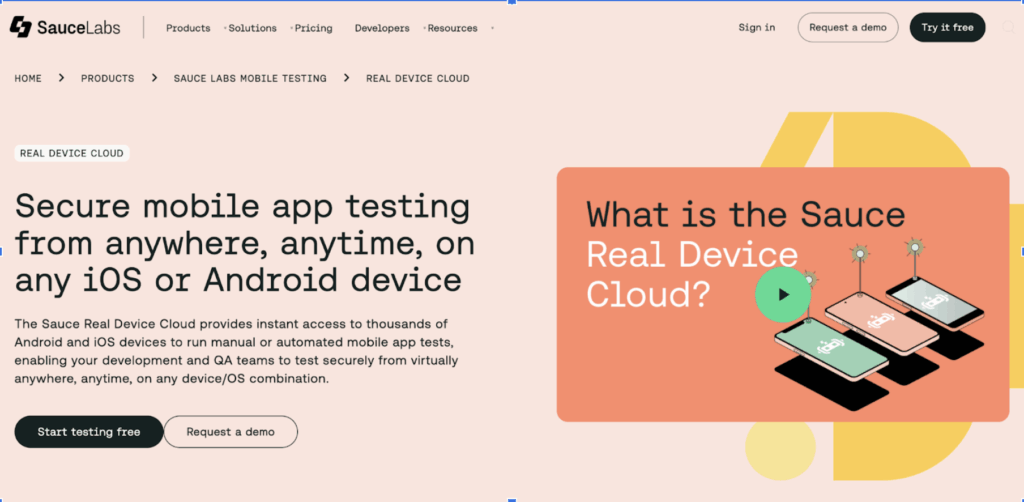
Physical device hardware validation: With Sauce Labs Real Device Cloud, you can test web and mobile applications directly on actual smartphones and tablets, accessing real hardware sensors, multi-touch interfaces, cameras, GPS, and OS-level APIs. This allows you to validate touch gestures, biometric authentication, geolocation features, and rendering or performance behaviors that cannot be fully replicated in emulators or simulators.
Dedicated device reservation: This cross-browser testing tool allows you to reserve specific devices for exclusive use during test sessions. This ensures your test environment remains consistent, eliminates interference from other users, and lets you maintain persistent device state across repeated or sensitive test runs without queuing or infrastructure contention.
Session isolation and device cleaning: Each test session in SauceLabs is isolated, and all devices are wiped/reset after use to prevent data leak or cross-user contamination.
Enterprise-grade security: SOC 2 Type 2 certified and GDPR compliant. You can use SauceLabs on a private cloud or on-premises for sensitive data.
Supported browsers
- Native testing on:
- iOS Safari: all recent versions
- Android Chrome: current and legacy versions
- Samsung Internet, UC Browser, Opera Mini: Available on supported Android devices in the lab inventory.
- Native WebViews: Android WebView and iOS WKWebView testing on real hardware.
Language support
You can integrate real device testing with Appium, Selenium, or manual exploratory sessions so that you can script in all languages supported by those frameworks (Java, JS, Python, Ruby, C#, Espresso (Java/Kotlin), and XCUITest (Swift/Objective-C).
Limitations
Parallelization volume: SauceLabs sells real device concurrency in bundled increments. If your concurrent test count exceeds your plan, additional tests will be queued until devices are available. You can run as many parallel tests at once as your concurrency permits, but they are still capped by the real-hardware pool size in SauceLab’s global inventory.
Coverage availability: Your device and browser coverage is determined by the range and availability of devices and OS versions in their global inventory at any given time. They support all major iOS and Android versions, but typically only offer devices less than six years old. As devices age out and new models are added, stock levels fluctuate, meaning that certain devices or OS combinations may occasionally be temporarily unavailable or out of stock.
Selecting a cross-browser testing tool that endures beyond the next release
Real competitive advantage comes from choosing a cross-browser testing tool that fits your team’s unique workflows, legacy realities, and technical constraints. Coverage breadth only matters if your tests are maintainable, your team can work efficiently, and test results drive actual business confidence.
Many options deliver scale or ease‑of‑use, yet fall short when faced with the mixed stacks, non‑standard UIs, and long‑lived systems that still underpin much of enterprise software.
Ranorex Studio earns a high spot on this shortlist for teams that need stability, maintainability, and the ability to bridge web, desktop, and even legacy application testing in one workflow.
The technical fitness of your cross-browser testing tool matters as much for the problems you face today as for the ones coming next quarter, when browser engines change and release cycles tighten.
Ranorex won’t force a rethink every time your stack and requirements evolve. Watch a demo or try it for free for 14 days to test how Ranorex works in real life.
Frequently Asked Questions About Cross-Browser Testing Tools
What is cross-browser testing?
Cross-browser testing is the practice of verifying that a web application behaves correctly, renders accurately, and performs consistently across different browsers, browser versions, operating systems, and device types. Different browsers implement web standards differently, and an application that works correctly in Chrome on Windows may display layout issues, broken interactions, or performance problems in Safari on macOS or in a mobile browser on Android. Cross-browser testing identifies these inconsistencies before they reach users, reducing the risk of broken experiences that damage user trust and brand reputation.
Why is cross-browser testing important?
Cross-browser testing is important because browser and device fragmentation means no single environment represents all users. As of 2026, Chrome, Safari, Firefox, and Edge each have significant market share, and mobile browsers on iOS and Android add further variation. Web standards are implemented differently across browser engines, meaning CSS behavior, JavaScript execution, and rendering can all differ in ways that are invisible when testing in a single browser. Cross-browser testing catches compatibility defects before release, prevents production incidents caused by environment-specific failures, and ensures that all users receive a consistent, functional experience regardless of the browser or device they use.
What is the best cross-browser testing tool?
The best cross-browser testing tool depends on your team’s specific workflows, technology stack, and testing requirements. Ranorex Studio by Sembi is the strongest choice for Windows teams testing legacy applications, non-standard UIs, or workflows that span web, desktop, and mobile in a single test run. BrowserStack leads for regulated industries requiring enterprise security, SOC 2 Type 2 compliance, and broad real device access. Puppeteer is best for technically strong development teams scripting exclusively for Chrome and Chromium. Creevey is ideal for Storybook-reliant front-end teams focused on component-level visual regression. Datadog Synthetics is the right choice for multi-location functional monitoring and testing behind firewalls or in zero-trust environments. Sauce Labs Real Device Cloud is best for teams needing real hardware validation across mobile browsers and web views.
What is the difference between cross-browser testing and cross-platform testing?
Cross-browser testing validates that a web application works correctly across different browsers and browser versions on the same or different operating systems. Cross-platform testing validates that an application works correctly across different operating systems, device types, and hardware configurations, including desktop, mobile, and tablet environments. The two overlap significantly in practice because different platforms often use different default browsers. Safari on iOS, Chrome on Android, and Edge on Windows each represent both a browser and a platform combination. Comprehensive cross-browser testing strategies typically include both browser-level validation and platform-level validation to ensure complete compatibility coverage.
What is the difference between real device testing and emulator testing?
Real device testing uses actual physical smartphones and tablets to validate application behavior on genuine hardware, providing access to real sensors, multi-touch interfaces, cameras, GPS, biometric authentication, and OS-level APIs. Emulator testing uses software simulations of devices that run on a developer’s computer or in a cloud environment. Emulators are faster to set up and cost-effective for early-stage testing but cannot fully replicate hardware-specific behaviors such as touch gesture accuracy, sensor data, battery behavior, and device-specific rendering differences. Most comprehensive cross-browser testing strategies use emulators for rapid early feedback and real devices for validation before release. Sauce Labs Real Device Cloud specializes in real hardware access for teams that need to validate behaviors that emulators cannot replicate.
What is visual regression testing in the context of cross-browser testing?
Visual regression testing automatically compares screenshots of an application across different browsers or after code changes against an approved baseline, identifying unintended visual differences such as layout shifts, CSS drift, font rendering changes, and color inconsistencies. In cross-browser testing, visual regression testing is particularly valuable because different browser engines render CSS and fonts differently, and changes that are invisible in one browser may produce significant visual differences in another. Tools like BrowserStack with Percy integration and Creevey for Storybook components specialize in visual regression testing as part of cross-browser validation workflows.
How does Ranorex Studio support cross-browser testing?
Ranorex Studio by Sembi supports cross-browser testing through integrated browser selection that uses variables or data binding to set the target browser at runtime. A single test flow can execute in Chrome, Firefox, Edge, or Internet Explorer without duplicating scripts for each browser. RanoreXPath technology provides stable UI element identification that handles dynamic IDs and complex element hierarchies across different browser environments. Ranorex Studio natively supports Chrome, Firefox, Edge, and Internet Explorer 11, with Safari support available through Selenium WebDriver integration. The Ranorex Parallel Runner supports simultaneous execution across multiple browser environments, and Ranorex integrates with Jenkins, Azure DevOps, GitLab CI, and TeamCity for CI/CD automation. A free 14-day trial is available.
What is the Chrome DevTools Protocol and how does Puppeteer use it?
The Chrome DevTools Protocol (CDP) is a low-level interface that allows external tools to communicate directly with Chrome and Chromium browser internals, providing programmatic access to the DOM, network requests, console output, performance metrics, and page events. Puppeteer is a Node.js library that interacts with Chrome and Chromium exclusively through CDP, giving development teams deep hooks for DOM manipulation, network interception, request modification, performance profiling, and real-time debugging. This low-level access makes Puppeteer highly capable for Chrome-specific testing and scripting scenarios but limits its applicability to Chromium-based browsers.
What is the difference between headless and headful browser testing?
Headless browser testing runs the browser without a visible graphical user interface, executing tests faster and consuming fewer resources because the browser does not render the visual display. Headless mode is well-suited for CI pipelines where speed and efficiency matter more than visual observation. Headful browser testing runs the browser with a visible graphical user interface, allowing testers to watch test execution in real time, which is valuable for debugging, interactive investigation, and demonstrations. Tools like Puppeteer support both modes using the same API, allowing teams to switch between headless CI execution and headed debugging sessions without rewriting test logic.
What compliance certifications should I look for in a cross-browser testing tool?
For teams in regulated industries including healthcare, financial services, and government, relevant compliance certifications for cross-browser testing tools include SOC 2 Type 2, which validates that the tool’s infrastructure meets security, availability, and confidentiality standards, and GDPR compliance, which ensures that test data and artifacts are handled in accordance with European data protection regulations. BrowserStack and Sauce Labs Real Device Cloud both hold SOC 2 Type 2 certification. For teams with stricter data residency or network isolation requirements, private cloud or on-premises deployment options, such as those offered by Sauce Labs and Datadog Synthetics private locations, provide additional control over where test execution occurs and where artifacts are stored.
When should you use a cloud-based cross-browser testing tool vs. a local tool?
Cloud-based cross-browser testing tools are the right choice when your team needs access to a broad range of browser versions, operating systems, and real devices that cannot be maintained locally, when tests need to run in parallel across many environments simultaneously, or when enterprise security and compliance certifications are required. Local tools like Puppeteer are appropriate when your team tests exclusively in Chrome or Chromium, when all testing infrastructure runs within your own network for data security reasons, or when the testing scope is narrow enough that maintaining local browser installations is practical. Many teams use both, running local tools for fast developer feedback during development and cloud platforms for comprehensive cross-browser regression testing before release.
What scripting languages do cross-browser testing tools support?
Cross-browser testing tools vary significantly in scripting language support. Ranorex Studio by Sembi natively supports C# and VB.NET, with Java, Node.js, Python, and Ruby available through Selenium WebDriver integration. BrowserStack supports Java, JavaScript, Python, Ruby, C#, Go, Dart, Perl, Scala, and others. Puppeteer requires JavaScript or TypeScript as a Node.js library. Creevey requires JavaScript or TypeScript. Datadog Synthetics supports JavaScript for browser tests and Java, Python, Go, Ruby, Node.js, PHP, .NET, Swift, Scala, and Kotlin for API tests. Sauce Labs Real Device Cloud supports all languages compatible with Appium and Selenium including Java, JavaScript, Python, Ruby, and C#, as well as Espresso and XCUITest for native mobile automation. Teams should match tool selection to the languages their QA engineers and developers already use to minimize adoption friction.
What is the best cross-browser testing tool for legacy applications?
Ranorex Studio by Sembi is the strongest choice for teams testing legacy web applications. It provides native support for Internet Explorer 11, which remains a requirement for many enterprise applications in regulated industries that have not completed browser migration. RanoreXPath technology handles non-standard, accessibility-wrapped, and dynamically generated UIs that are common in legacy enterprise applications and that standard web locators struggle to reliably identify. The hybrid automation capability allows a single test flow to span legacy browser-based interfaces and native Windows desktop applications in the same test run, which is a common requirement for teams maintaining long-lived enterprise systems.